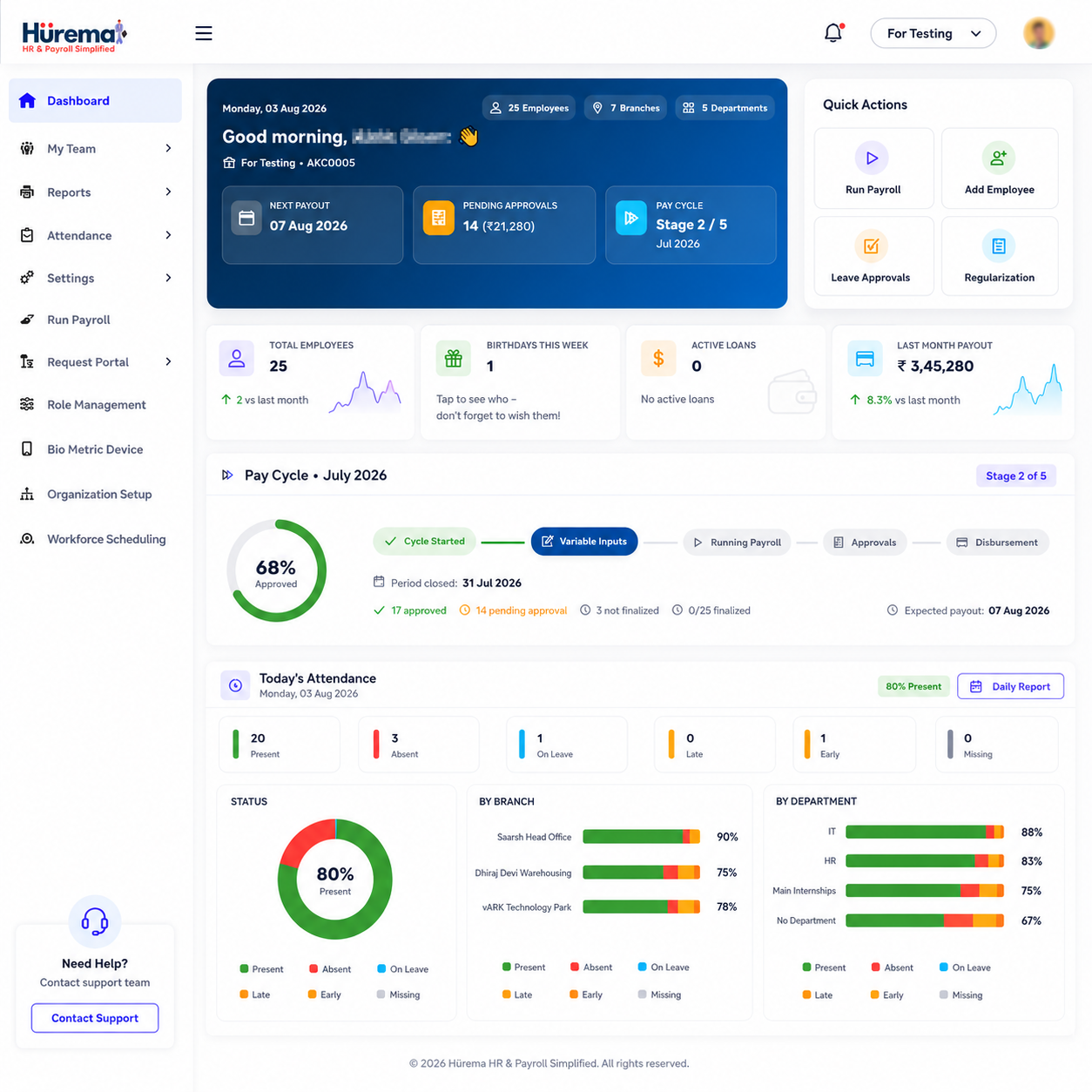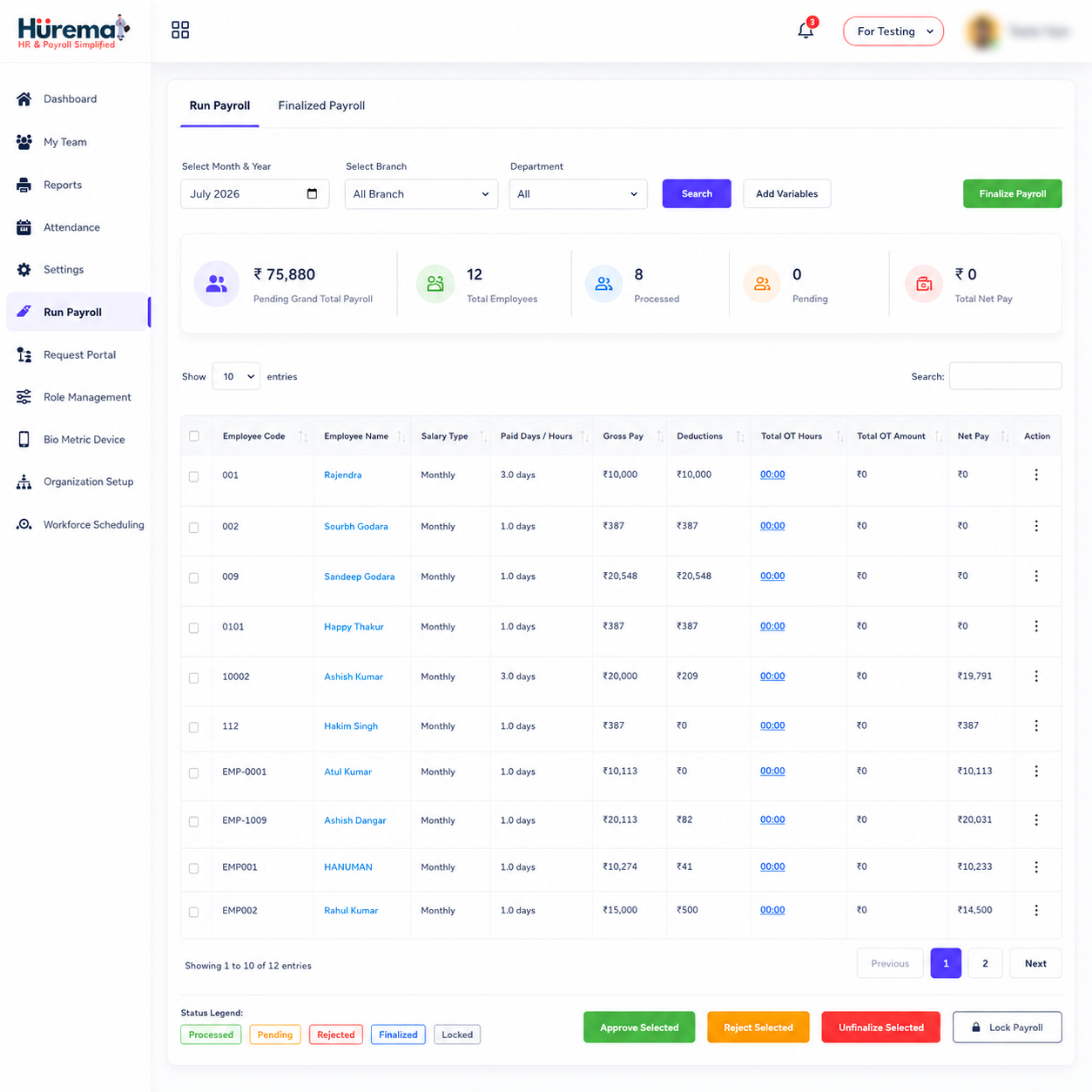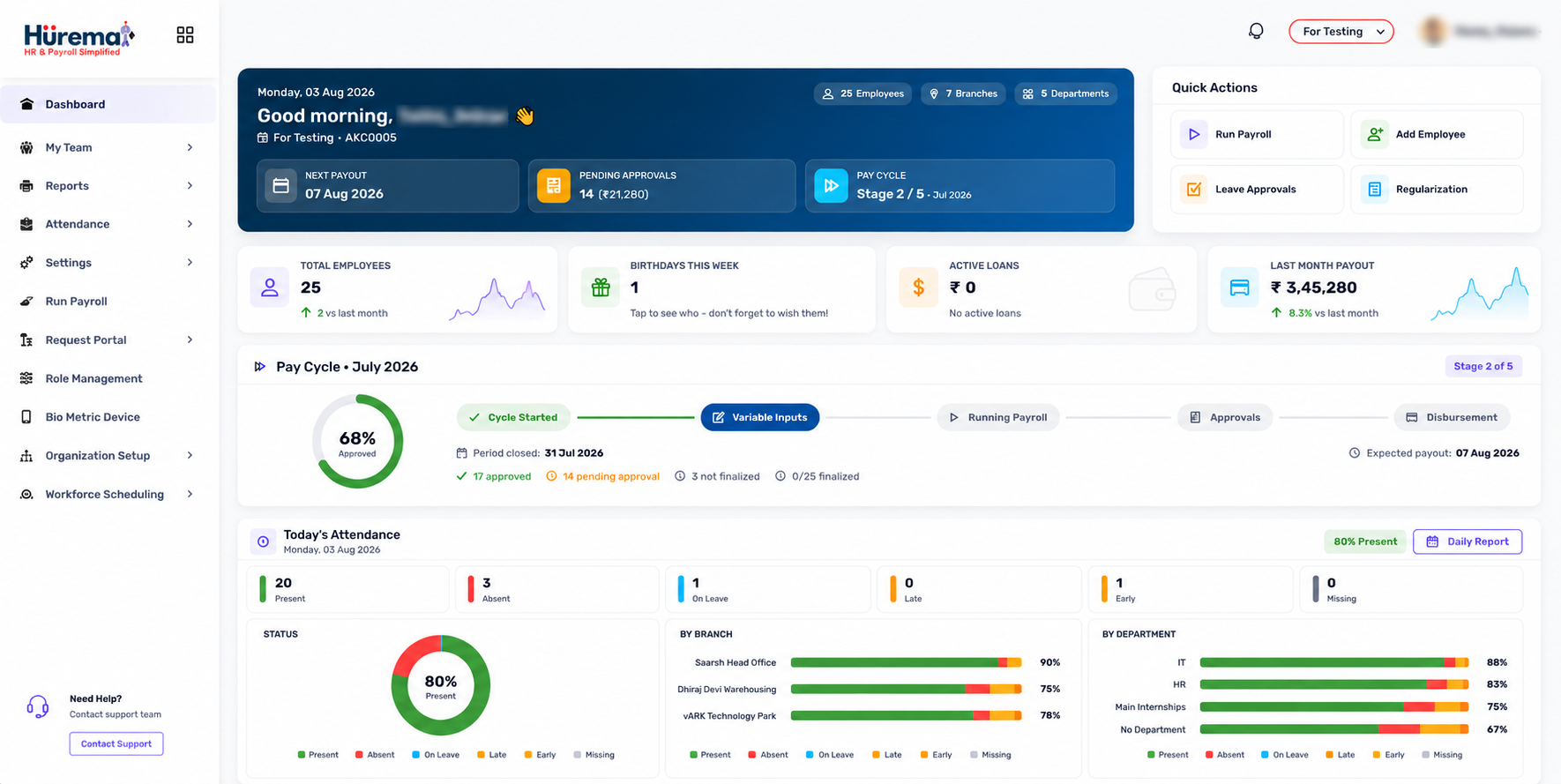
Choosing HR software is a business-process decision as much as a technology decision. The system will hold employee information and may support attendance, leave, payroll, documents and approvals. A useful evaluation therefore begins with the work people do today, the friction they encounter and the controls the organisation needs to keep.
What are HRMS services?
HRMS services commonly mean a human resource management software platform and the associated product services that help a customer use it. The platform may organise employee records, attendance, leave, payroll, documents, onboarding and internal workflows. Related provider services can include product demonstrations, account setup guidance, support channels or technical assistance—but scope varies, so buyers should ask what is included.
The phrase can also be confused with outsourced HR services, where a third party supplies HR administration or personnel. These are different offerings. Hurema presents itself as HR management software for businesses and organisations across industries. Its website lists product contact details and modules; it does not describe an outsourced HR department. Clarify this distinction when comparing the Hurema HRMS service overview.
What makes an HRMS solution good?
A strong HRMS solution helps employees, managers and HR complete real tasks without making the process obscure. Employee data should be structured; approvals should have an owner; users should see only the information they need; and administrators should understand how to correct a record. The system should work with the organisation's pay arrangements, attendance methods and document practices.
Look for fit rather than broad promises. Ask the provider to demonstrate an everyday workflow from start to finish: a new employee is recorded, attendance is captured, a leave request is approved, payroll inputs are reviewed and a payslip is made available. Note how exceptions and corrections are handled. A feature only creates value when the team can use it reliably.
HRMS implementation: plan for adoption, not just setup
Implementation usually involves decisions about data, policy, system configuration, integrations and training. The exact schedule depends on the starting point and scope. Before choosing an implementation plan, identify who owns each workstream and what “ready” means to the business.
- Document your processes. Record current employee, attendance, leave, payroll and document steps—including approvals and exceptions.
- Prepare the data. Remove duplicates, confirm required employee fields and agree how existing records will be reviewed before import.
- Set roles and policies. Decide who can see or update each record, who approves changes and which leave or pay rules need configuration.
- Confirm device and app needs. List attendance device models, locations and users who need mobile access. Ask the provider to verify support rather than assuming compatibility.
- Test representative cases. Use scenarios for new hires, salary changes, absences, leave corrections and exits; compare outputs against approved records.
- Train users and launch in stages. Explain what employees and managers should do, where they can get help and how to report a problem.
- Review after launch. Check whether requests are completed correctly, identify confusing steps and update training or configuration where appropriate.
Do not rush sensitive payroll or employee records into a new process without validation. A controlled transition—often with a trial or parallel check for important calculations—helps the organisation find gaps before it depends on the new workflow.
Employee management and records
Central employee management is often the first practical benefit. A complete profile can hold identifiers, contact details, employment history, department, role, reporting relationship, emergency contacts and compensation history. It gives HR a consistent source for routine administration and provides context when someone changes role, team or status.
When evaluating a provider, check which fields are available, whether custom information can be recorded and how updates are controlled. Ask how the organisation can find a record, correct an error and retain or archive information according to policy. Explore Hurema employee management and its HRMS in India page.
Attendance management and time tracking
Attendance software may capture punch-in and punch-out events, display summaries and support corrections or approvals. The right method depends on the workplace: an office may use a biometric reader, an RFID reader or a face-recognition terminal, while another team may follow a different approved process. Ask about the exact device models and how the data is synchronised.
Hurema describes integration with supported biometric, RFID and face-recognition devices. The product range includes AI-powered facial-recognition attendance hardware. Confirm the model, installation context and data flow with the team before purchase. See attendance management and available devices.
Leave management
A leave module gives an employee a clear request route and gives the manager a place to approve or decline. Balances can be updated through the process and the status can be available to HR and payroll staff. During a demo, test different leave categories, partial dates, a cancellation and a request that overlaps with an existing absence. Ask how the system reflects your actual policy.
Payroll as part of the employee lifecycle
Payroll depends on employee information and approved pay terms. Attendance, leave, additions and deductions may be relevant inputs according to the employer's arrangements. Hurema lists salary calculations, deductions, bonuses, tax withholding, statutory workflow support and payslip generation. Software helps organise this work; employers still need to check current rules and validate calculations with qualified professionals.
Review the HRMS Payroll guide and Hurema's payroll module. In a demo, ask to follow the complete cycle from a change in employee information through input review to a sample payslip.
Employee self-service
Self-service gives employees a defined role in maintaining records and completing requests. Depending on product capability, tasks may include requesting leave, viewing attendance information, submitting a correction or uploading a document. It can reduce avoidable messages to HR, but employees need clear instructions and a route to ask for help when a record is incorrect.
Check the actual tasks available to employees and managers, the mobile experience and how permissions prevent access to other people's confidential information.
Document management and storage
HR teams handle offer letters, agreements, certificates and identity documents. A useful document feature helps store and retrieve files consistently and may provide expiry alerts or e-signature workflows. Ask where documents are stored, who can view them, how uploads are checked and how retention or deletion works. Hurema describes secure cloud document storage, employee self-service uploads, expiry alerts and e-signature support as part of its document module.
Mobile access, automation and AI
Mobile access matters when employees are not always at a desk. Hurema lists Android and iOS apps; check their official store listings and test the tasks your users need. Hurema also describes configurable HR processes and approval chains, which can help route recurring requests such as travel or expense claims. Automation should make ownership clear and preserve human review for decisions that matter.
Be precise about AI claims. Hurema's website describes AI-powered facial-recognition attendance devices. It does not claim AI-based hiring, automated employee evaluation or AI payroll advice. If a vendor describes AI features, ask what data they use, what decision the system makes and how people can review or correct an outcome.
HR reporting and visibility
Reports are useful when they answer a question the organisation actually needs to manage: which records are incomplete, what leave has been approved, whether attendance requires review or what payroll information is ready for professional checking. Hurema mentions payroll compliance reports and device-synced attendance information. Ask the vendor to show available reports and exports using sample data, and distinguish a product feature from a metric the organisation must calculate itself.
Support and service expectations
Support is part of choosing a product, but claims should be specific. Confirm which contact channels are available, expected response times, business hours, languages, onboarding assistance, escalation routes and whether device setup or on-site help is included. Ask what support applies after initial setup and whether it changes with the plan. Hurema publishes contact details; discuss your service expectations directly with the team.
Benefits of professional HRMS services
A structured HRMS implementation and support relationship can help an organisation set up data consistently, train different user groups and resolve product questions as processes evolve. A connected platform can reduce repeated entry between employee records, attendance, leave and payroll. Workflow automation makes routine approvals more visible, while document management can make files easier to find and track.
Benefits depend on process ownership and user adoption. A platform will not fix unclear leave policies, missing approvals or inconsistent salary inputs on its own. Treat the HRMS as one part of the organisation's operating model and keep a named person responsible for data quality and review.
How to choose the best HRMS in India
- List the pain points. Identify the manual steps and delays that matter most to employees and administrators.
- Prioritise essential workflows. Select a few initial journeys—often employee records, attendance, leave and payroll—then identify later requirements.
- Ask for a real demonstration. Use your own scenarios, not just slides or a feature list.
- Check integrations and devices. Verify exact compatibility with existing attendance readers, apps and any other essential systems.
- Review data access. Ask how roles, permissions, corrections, exports and retention are handled.
- Compare total service scope. Clarify fees, setup expectations, training, support and any excluded work.
- Plan testing and adoption. Give users time to practice, check sample outputs and report issues before full reliance.
- Validate statutory needs. Ask qualified advisers to confirm legal and payroll obligations for your organisation.
Hurema is designed for businesses and organisations across industries. If you are searching for a broader shortlist, read Best HRMS in India. For regional context, see Best HRMS in Delhi NCR; if proximity and local help matter, use the HRMS Near Me buyer checklist.
Common mistakes while selecting HRMS software
- Choosing from a feature count. A long list does not show how a workflow works end to end.
- Assuming all providers include the same services. Software, implementation, managed payroll and outsourced HR are distinct scopes.
- Ignoring data preparation. Duplicates and missing fields can follow an organisation into the new platform.
- Skipping device checks. A broad “biometric integration” claim may not confirm support for the exact model or setup.
- Leaving employees out. If employees cannot understand the self-service process, requests may continue through informal channels.
- Automating before a policy is clear. Configuring an inconsistent rule only makes the inconsistency happen faster.
- Treating software as compliance advice. Always verify requirements with appropriate professionals and official sources.
- Not clarifying support. Confirm channels, response expectations and what onboarding or in-person assistance is actually provided.
FAQs about HRMS services
What are HRMS services?
HRMS services usually refer to software and related product support that help organisations manage employee records and processes such as attendance, leave, payroll and documents. Confirm whether a provider means software only or outsourced HR work.
What makes the best HRMS solution?
The best HRMS solution is the one that fits the organisation's real workflows, workforce, device needs, security expectations and support requirements. Evaluate demonstrated tasks rather than feature counts alone.
How long does HRMS implementation take?
Implementation time depends on data quality, module scope, policies, integrations, testing and user readiness. Ask the provider for a project plan based on your requirements instead of relying on a generic estimate.
Which HRMS modules should an organisation prioritise?
Many organisations begin with employee records, attendance, leave, payroll and document management, then consider onboarding, performance and workflow modules as their needs grow.
Does Hurema provide HRMS software in Delhi NCR?
Hurema provides HR management software and lists a Delhi address. Businesses in the region should contact the team to discuss support, device fit and their requirements.
Does Hurema include AI and mobile access?
Hurema lists Android and iOS apps and AI-powered facial-recognition attendance devices. It does not claim AI-based recruitment or automated HR decisions.
Does an HRMS provider supply outsourced HR staff?
Not necessarily. Hurema is presented as HR management software; the website does not describe an outsourced HR department. Ask each provider to define its service scope.
What should be included in an HRMS demo?
Ask the provider to demonstrate your employee lifecycle, attendance capture, leave approval, payroll inputs, employee self-service, document handling and support route using realistic scenarios.
Find an HRMS that fits your way of working
Explore Hurema's modules, compare your requirements and talk with the team about product fit, support and attendance devices.
Explore Hurema HRMS Service Contact the Team