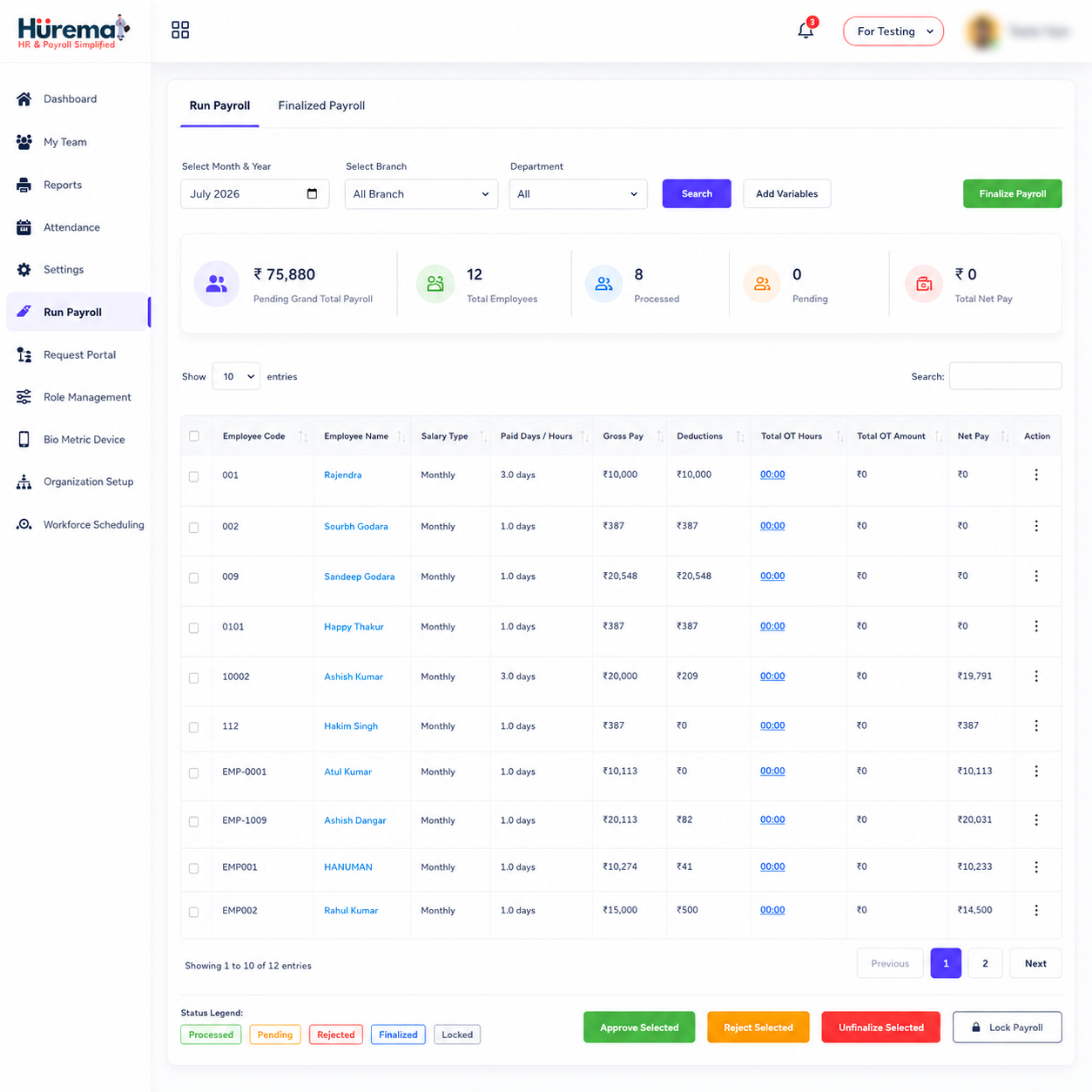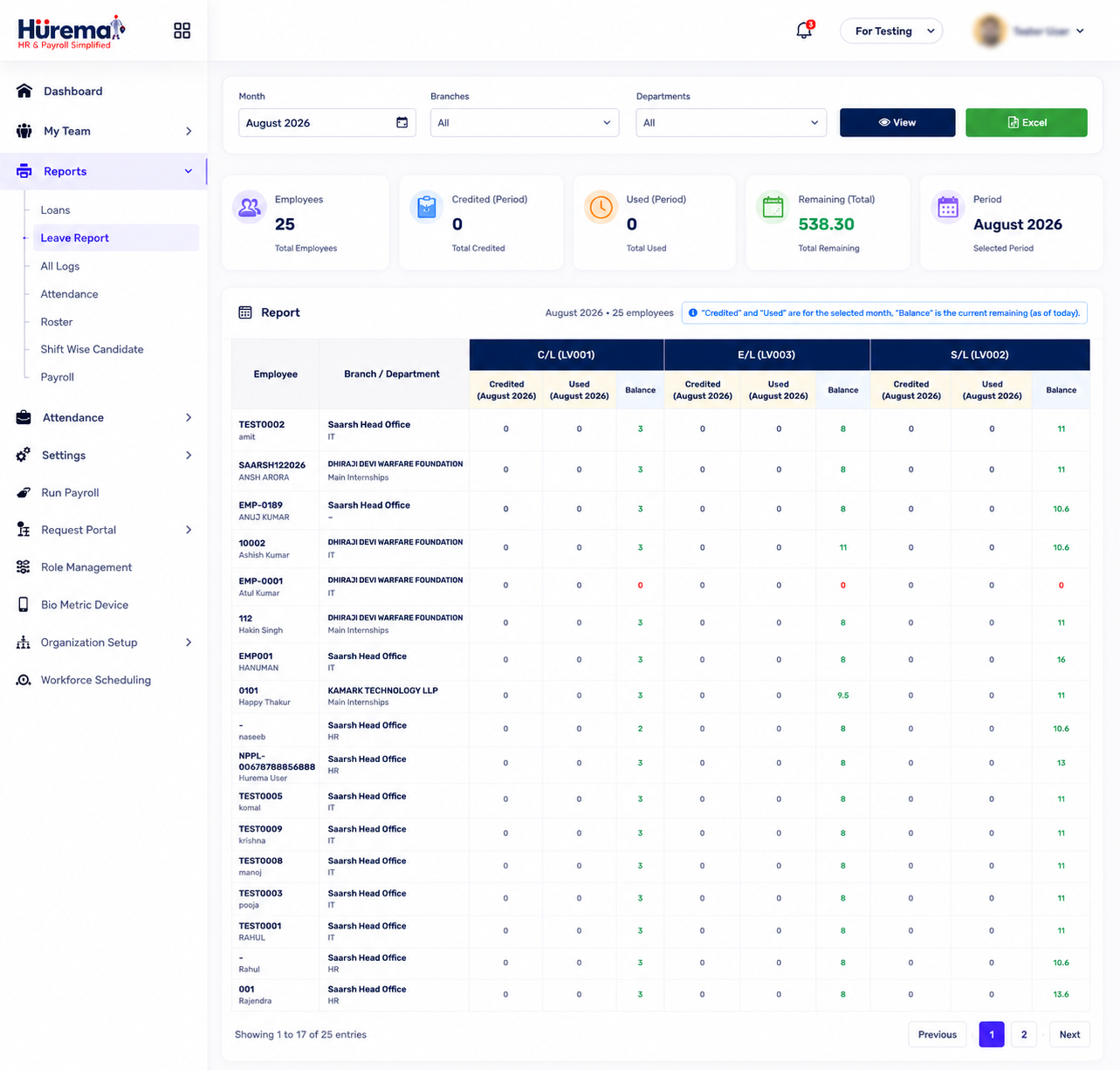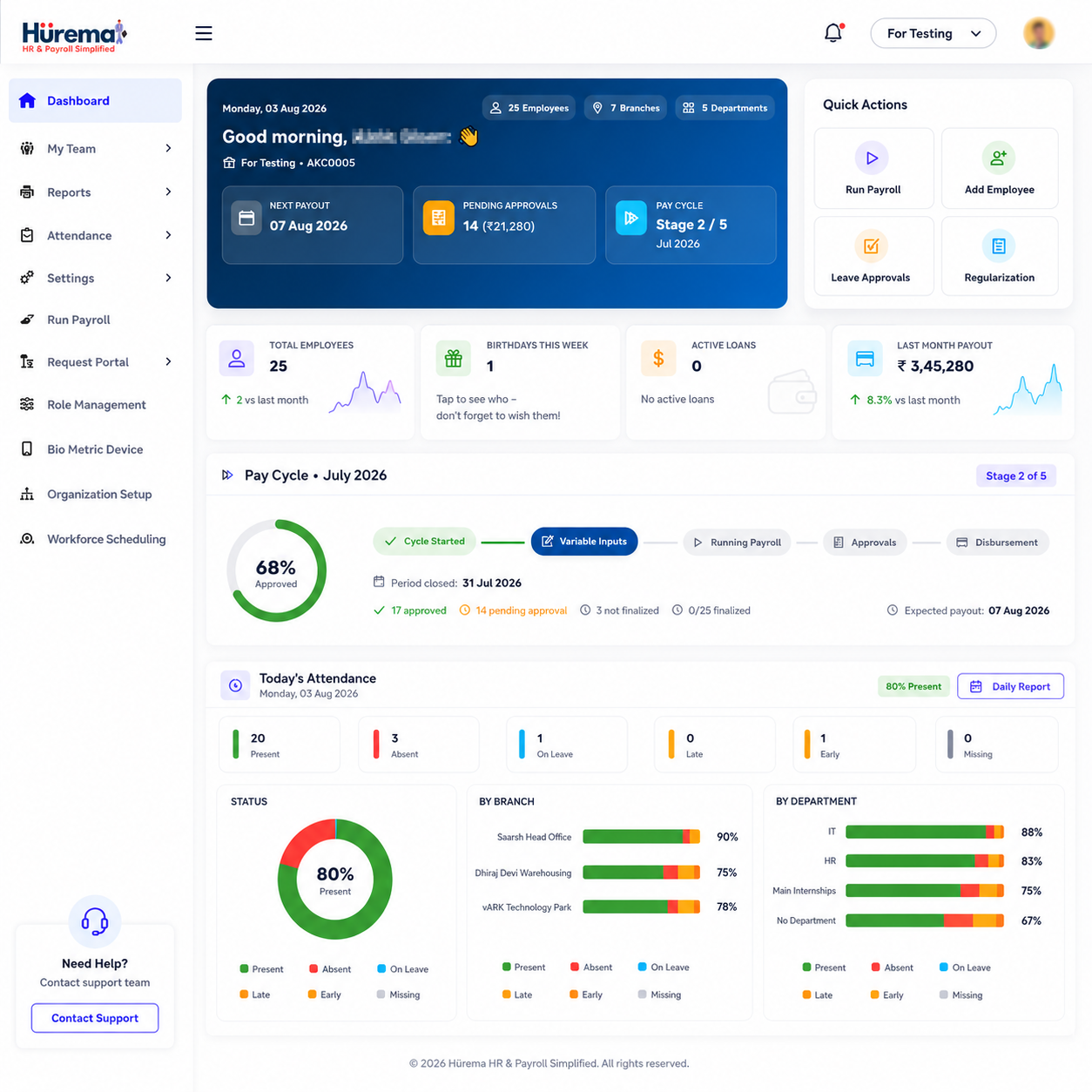
Employee information is created across the entire working relationship: hiring details, role changes, attendance, leave, compensation and documents. When each item is kept in a different spreadsheet or inbox, the HR team has to reconcile versions and remind people where to send requests. An HRMS can give these activities a shared structure.
What is HRMS?
HRMS stands for Human Resource Management System. It is software that helps an organisation maintain employee records and run recurring human-resource processes. Depending on the product, an HR management system may include employee profiles, attendance and time tracking, leave approvals, payroll, document storage, onboarding, performance management and employee self-service.
The label alone does not tell you everything a product can do. Some platforms focus on employee data; others provide a broader set of workflows or connect to separate systems. When comparing HRMS software, inspect the actual modules, integrations and access controls rather than assuming every provider includes the same services.
For example, Hurema presents employee management, payroll, attendance, leave, documents, onboarding and offboarding, performance, custom HR processes and device integration as parts of its platform. Its intended customers include businesses and organisations across industries. See the guide to choosing an HRMS service for a buyer-focused checklist.
How does an HRMS work?
An HRMS starts with a consistent employee record. HR staff create profiles, assign roles and departments, store relevant employment information and organise documents. The system then provides workflows for routine activity: an employee submits a leave request, a manager reviews it, and the record is updated. Attendance information can be captured through supported devices or other available methods. Payroll teams can review the relevant employee, attendance and leave information as inputs to a salary run.
In practice, the platform acts as a shared workspace rather than an automatic decision-maker. People define policies, approve changes, check exceptions and confirm payroll results. A well-configured Human Resource Management System makes the process easier to repeat and provides a clearer place to look for the current information.
Why do businesses need HRMS software?
Many businesses begin with spreadsheets and email. That can be workable for an organisation at any stage, but manual administration becomes harder as employees, locations and approval steps grow. Duplicate records create uncertainty, leave balances can become difficult to reconcile, attendance data may need re-entry and important documents can be hard to find.
An HRMS helps by standardising where information lives and how requests move between employees, managers and HR. It can reduce repeated typing, clarify responsibilities and make routine status checks faster. It does not replace management judgment or guarantee that a company meets every legal requirement; the organisation still needs to define policies and review the accuracy of its records.
Major HRMS features and modules
Employee management and records
Employee management is the foundation of an HRMS. A central profile can hold contact details, identifiers, department, role, reporting structure, employment history, emergency contacts and compensation history. Instead of maintaining separate lists for each task, HR can work from a shared record and update it when a change is approved. Hurema describes digital employee profiles and history as part of its employee records module.
Attendance and time tracking
Attendance tracking records working-time events such as punch-in and punch-out. Depending on the workplace, capture can use supported biometric, RFID or face-recognition devices. A system can make it easier to review presence, late arrivals, absences and corrections, but managers should still handle exceptions fairly and follow their organisation's rules. Explore Hurema attendance tracking and its attendance devices.
Leave management
A leave module replaces scattered messages with a request-and-approval process. Employees can submit a request, managers can review it, and the leave record and balance can be updated. Organisations should configure leave categories, accrual, holidays and carry-forward rules to match their actual policy. When the HRMS connects leave information with payroll, approved leave can be considered during payroll preparation.
Payroll integration
Payroll processing relies on employee information and inputs such as salary structure, approved changes, attendance and leave. Some HRMS products include payroll; others integrate with an external payroll management system. Hurema lists automated salary calculations, deductions, bonuses, tax withholding, statutory payroll workflows and payslips. Read the HRMS payroll guide or review the payroll module. Payroll software supports administration; it does not replace professional tax or legal advice.
Employee self-service
Employee self-service (ESS) gives staff a defined way to complete supported HR tasks without asking an administrator to enter every request. Depending on the system, this can include viewing relevant records, submitting leave, requesting an attendance correction, downloading payslips or uploading documents. Self-service should be easy to use and should only expose information employees are authorised to access.
Document management
HR files may include offer letters, contracts, certificates and identity proofs. A document module gives the organisation a controlled place to store and find these files. Hurema describes secure storage, employee document uploads, expiry alerts and e-signature support. Define who can view, add or update each document type, and follow your organisation's retention and privacy requirements.
HR automation and workflows
HR automation means using software to route predictable tasks, reminders and approvals. Examples include onboarding checklists, leave reviews, offboarding steps or a multi-stage internal request. Automation can save follow-up work and make ownership visible, but it should not hide exceptions. Keep a human review step wherever a decision affects pay, employment or employee wellbeing.
Mobile HRMS
A mobile HRMS can help employees and managers access supported tasks away from a desk, which is useful for field teams or workplaces where not everyone uses a desktop. Hurema lists Android and iOS apps. Available functions depend on the app and account, so check the Google Play listing and App Store listing for current details.
Benefits of HRMS for employees and management
For employees, a clear system can make it easier to know where to submit a request, see the status of leave, provide a document or access supported information. Consistent workflows reduce uncertainty about whether a request reached the right person. Mobile access can further help employees who are not regularly at a computer.
For HR teams and managers, a central record can cut down duplicate entry and provide a more consistent view of staffing information. Attendance and leave workflows are easier to review, onboarding steps can be tracked and documents can be organised. Payroll teams can use connected records as inputs rather than gathering every value from scratch. These are process benefits, not a guarantee of error-free payroll or legal compliance.
- One place for core employee details and employment history.
- Clearer routes for leave requests, approvals and document submission.
- Attendance information that can be reviewed alongside payroll tasks.
- Repeatable onboarding, offboarding and internal approval processes.
- Mobile access to supported HR tasks for employees and managers.
How to choose the right HRMS
Start by documenting your current process, not by counting feature names. Follow a typical employee journey: joining, updating a record, recording attendance, requesting leave, preparing payroll and storing a document. Note who performs each step, where delays happen and which information is repeated.
- Prioritise essential modules. Decide which needs are immediate—employee records, attendance, leave, payroll, documents or onboarding—and which can wait.
- Check device fit. If you use attendance hardware, ask about exact models and how data reaches the HRMS.
- Review the employee experience. See how an employee submits a request and how a manager approves it, including on mobile if needed.
- Ask about permissions and records. Confirm who can view sensitive employee and payroll information, and how changes are reviewed.
- Clarify service and support. Ask what onboarding assistance, support channels and response expectations are actually included.
- Validate compliance needs. Confirm statutory and policy requirements with qualified advisers; do not assume software alone resolves them.
Hurema is built for businesses and organisations across industries. Compare its modules with your needs on the HRMS in India overview. Delhi NCR teams can also read the regional HRMS guide, while buyers comparing local support can start with how to find an HRMS near you.
Frequently asked questions about HRMS
What is HRMS in simple words?
HRMS is software that helps an organisation manage employee information and recurring HR work such as attendance, leave, payroll and documents in a connected system.
What is the difference between HRMS and HRIS?
The terms overlap and vendors use them differently. HRIS often refers to employee information records, while HRMS may describe a broader set of HR workflows. Compare the actual modules rather than relying only on the label.
Does HRMS software include payroll?
Some HRMS platforms include payroll, while others connect to separate payroll products. Hurema includes a payroll module alongside employee, attendance and leave workflows.
How does attendance connect with payroll in an HRMS?
Attendance records can be reviewed as payroll inputs. Hurema describes attendance integrations with supported biometric, RFID and face-recognition devices, and links attendance workflows with payroll.
Can employees use an HRMS from a mobile phone?
Mobile functions depend on the platform. Hurema provides Android and iOS apps; consult its official store listings for current app functions.
Is HRMS useful for an organisation?
It can be useful when employee information, attendance, leave or payroll has become difficult to coordinate manually. Hurema is designed for businesses and organisations across industries.
Does HRMS automate every HR decision?
No. HRMS software can structure routine records and workflows, but people should review sensitive decisions and verify payroll and policy information.
How should a business choose an HRMS?
Map current workflows, identify essential modules, check device and mobile needs, review access and document controls, and ask the provider to demonstrate your real processes.
Explore HRMS software for your team
See how Hurema's employee records, attendance, leave and payroll modules work together, then discuss your own workflows with the product team.
Explore Hurema HRMS Service Contact Hurema